
Option 1: Remitly, recommended
What is Remitly?
- Remitly is an international money-transfer company with an app and website.
- It offers transfers to Vietnamese bank accounts in Vietnamese dong (VND).
- You see the fee, exchange rate and delivery estimate before confirming. Availability and timing depend on your sending country and payment method.
How it works at a glance
- Place your order to see our bank details
- Send with Remitly (Bank deposit, VND)
- Send us the receipt
Nine steps, with screenshots
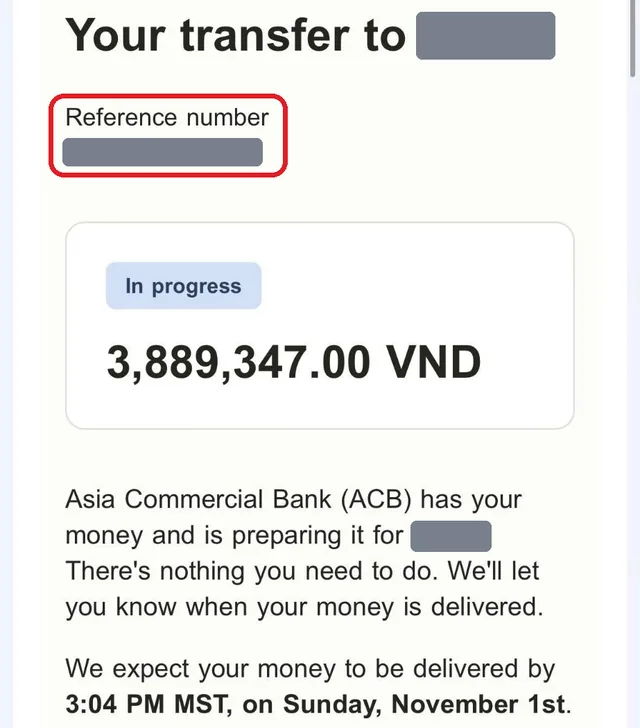
The screenshots come from a real transfer from Canada to our bank account. We hid the reference number and the recipient name. Your currency, fee, rate and any offer will differ, and the app may appear in your language.
Open Remitly and create your account
Download the Remitly app through its official website, or use remitly.com. Sign up with your email and phone number, and choose your actual sending country. Verify your identity if asked, so have your ID ready.
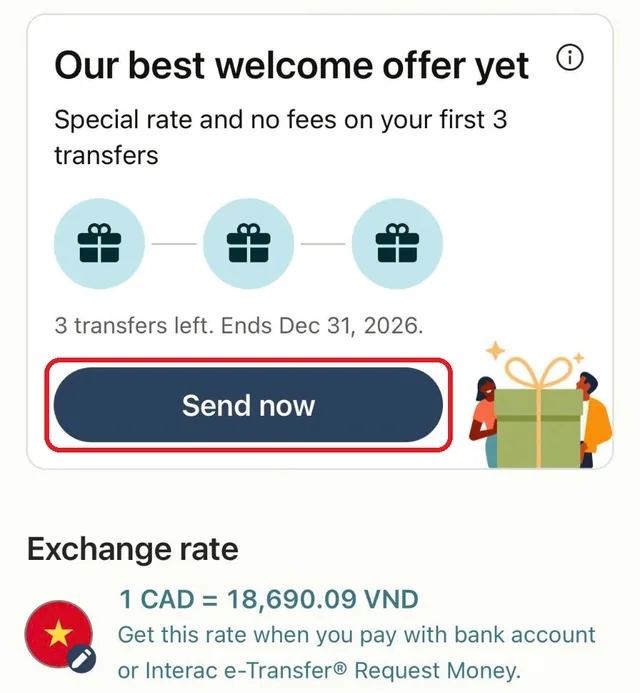
Open remitly.com →Tap Send now
Check that the exchange rate line shows VND. If it does not, change the destination to Vietnam. Then tap Send now.
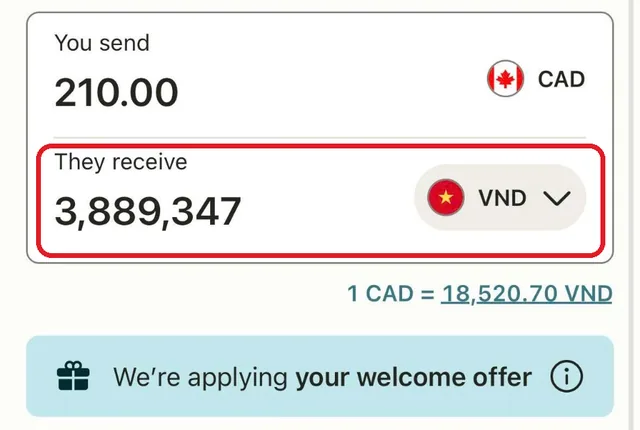
Type the VND amount in They receive
Type the exact VND amount from your payment screen in the They receive box, not in You send. Remitly works out what you send in your own currency. If the box will not take it, change You send until They receive matches.
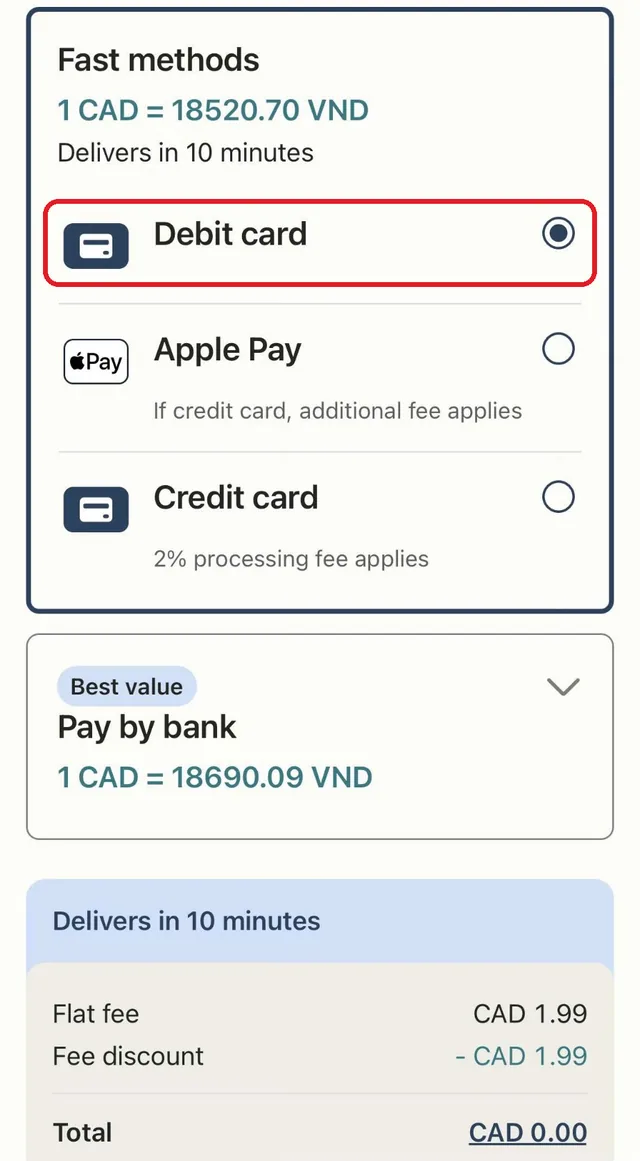
Choose how you pay
In our transfer from Canada, Debit card showed delivery in 10 minutes. Credit card added a 2% fee, and your card issuer may charge more. Pay by bank showed a better rate, so check its delivery time if your visa is urgent. Options differ by country.
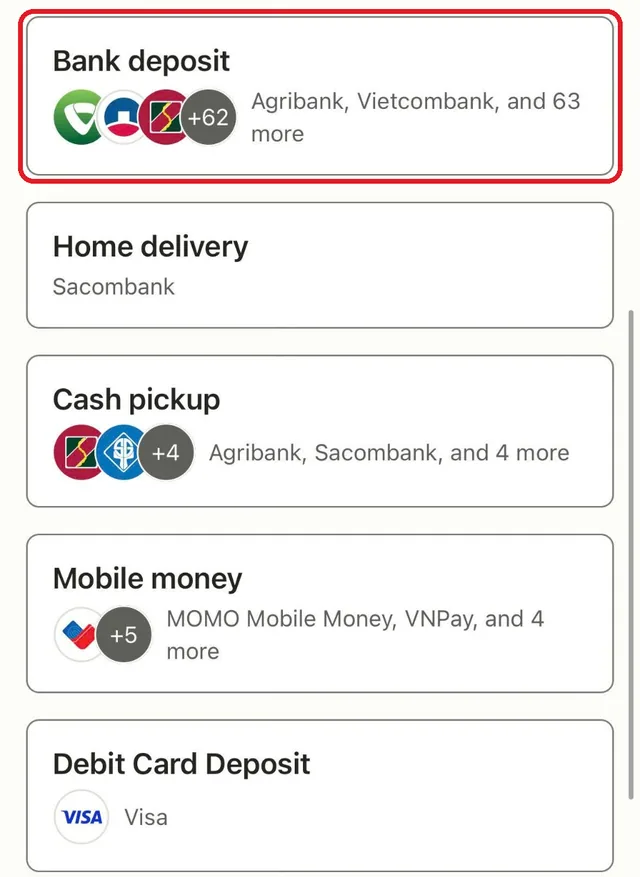
Choose Bank deposit
Select Bank deposit, not Home delivery, Cash pickup, Mobile money or Debit Card Deposit.
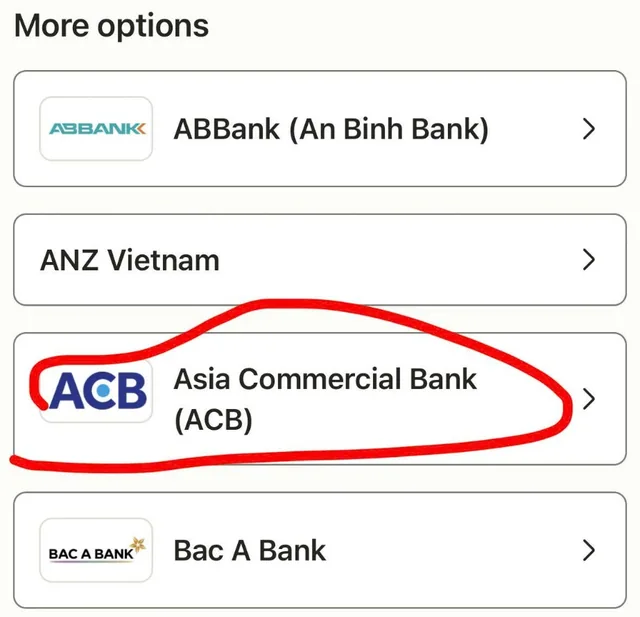
Choose Asia Commercial Bank (ACB)
Scroll down to More options and tap Asia Commercial Bank (ACB).
Copy the recipient details
Copy the name and account number exactly as your payment screen shows them. Check every digit. If a field is unclear or details are missing, contact us before continuing.
State the real payment purpose
Choose the option that honestly describes this payment. Do not choose family support or gift. If no suitable option is available, contact us.
Pay and send your receipt
Review the transfer, then pay. Remitly emails you a receipt with a reference number. Send a screenshot of it and your order reference (ITV-xxxx) in our WhatsApp chat. Your order moves on once the money reaches our bank.
Option 2: PayPal
Pay with PayPal
Use PayPal if Remitly does not take transfers from your country, or if it does not suit you. You pay the order total in US dollars.
Find the PayPal section
On your payment screen, scroll past the Remitly card to Pay by card or PayPal.
Choose PayPal or card
Tap PayPal to sign in to your account. Where PayPal offers it in your country, the card button (Debit or Credit Card) lets you pay by Visa or Mastercard without an account.
Pay once
Wait until the screen confirms your payment. Do not pay again, even if it takes a moment. Your order moves on once PayPal reports the payment as complete.
If you only see a PayPal link
When the page shows a link instead of these buttons, paste your order reference (ITV-xxxx) in the note on PayPal. We use it to match your payment.