Vietnam eVisa photo requirements: what the portal actually enforces
The Vietnam eVisa application requires two image uploads: a recent 4x6 cm portrait photo — JPG or JPEG, under 2MB, white background, facing straight at the camera, no glasses, no hat — and a clear photo of your full passport data page. The portal checks both images automatically and will not let you submit if the passport image fails. Photo problems are among the most common reasons finished applications come back for amendment, which restarts the processing clock. Here are the exact specs, the failure patterns, and how to pass on the first upload.
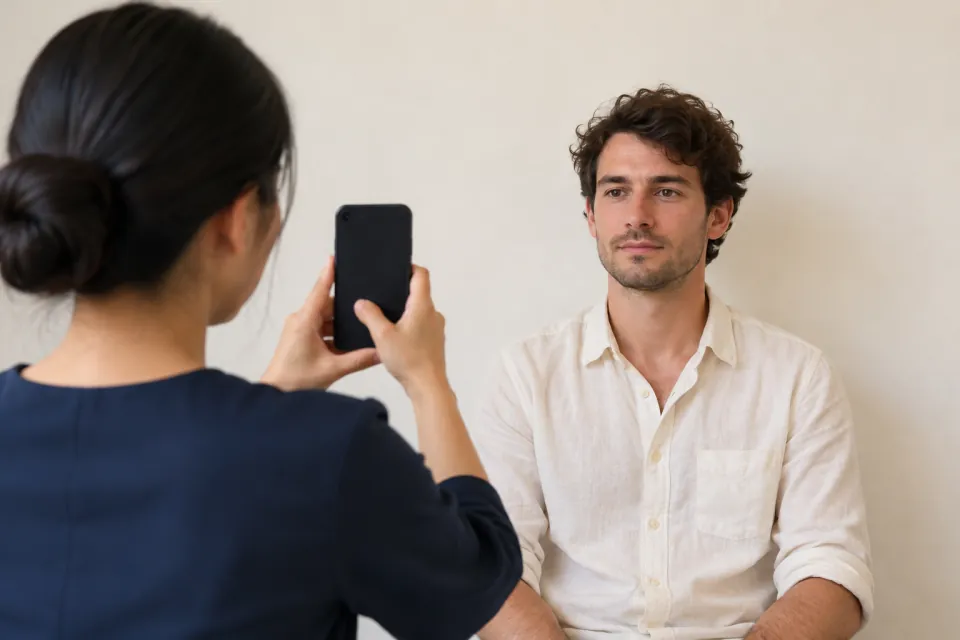
What images does the Vietnam eVisa application ask for?
Two uploads, both at the very start of the application on evisa.gov.vn: a portrait photo of you, and a photo or scan of your passport's data page — the page with your photo and personal details. Everything else in the form comes after these two files.
The portal reads your passport image and fills in your personal details automatically; you then review and correct the fields. That design has a practical consequence: a bad passport image does not just risk trouble later, it feeds wrong data into your form from the first minute. The portal's own instructions state that if the passport image is invalid, the system will not allow you to submit the application at all.
What are the exact portrait photo requirements?
The portal's published spec is short and specific. Your portrait must be:
That is the entire published requirement — the portal does not publish a pixel count. So treat 4x6 cm as a framing rule: portrait orientation, 2:3 shape, head centered, face taking up most of the frame with a little space above the hair. If the photo would look wrong in a passport, it will look wrong here.
- A recent photo of you, sized 4x6 cm — the shape of a standard visa photo
- JPG or JPEG format, file size under 2MB
- Face looking straight at the camera
- No glasses of any kind
- No hat
- Formal attire — a plain shirt or top works; beachwear does not
- Plain white background
What does the passport data page photo need to show?
The full data page with all four corners visible and every line readable — especially the two lines of letters, numbers and chevrons at the very bottom. That machine-readable zone, the ICAO line, is what the portal reads to fill your form, and the Immigration Department's FAQ requires the name you declare to match it exactly: surname, middle name and given name, in uppercase.
The same technical limits apply as for the portrait: JPG or JPEG, under 2MB. Shoot it in color and in sharp focus. One of the most common failures is glare — the laminate over the data page bounces flash and ceiling light straight back into the lens, wiping out exactly the characters the system needs to read.
Why do photos get Vietnam eVisa applications returned or refused?
When an officer cannot accept an image, the typical outcome is not an instant refusal — it is your application coming back with a status asking for amendments and supplements. An Edit button appears next to your application on the portal; you fix the image and resubmit the same application. The catch is the calendar: each round goes back into the processing queue, so a photo problem quietly turns a 3-working-day process into a week or more. The usual culprits:
If an application is refused outright rather than returned, there is no appeal channel. The government fee — US$25 single-entry or US$50 multiple-entry, paid to the Vietnam Immigration Department — is not refunded and does not carry over. The only remedy is a fresh application with the problem fixed, and a fresh fee.
- Glare or shadow across the laminated passport page
- ICAO line cropped out, blurred, or covered by a finger
- Glasses or a hat in the portrait
- Filters, beauty mode or heavy editing — the portrait must look like you actually look
- A portrait that does not visibly match the photo inside your passport
- A background that is not plain white
- The same file uploaded in both slots, or a file over 2MB or in the wrong format
How do I take a passing photo with just a phone?
A phone camera is fine — the portal cares about compliance, not equipment. Technique matters more than hardware:
A compliant pair of images is the single highest-impact thing you control in this entire process. The government decides the timing and the outcome; you decide whether the file the officer opens is acceptable on the first pass.
- Portrait: stand about a meter in front of a plain white wall, facing a window in daylight, and have someone shoot from eye level
- Portrait: check for shadows on the wall behind your head — step further from the wall if you see any
- Portrait: switch off every filter, beauty mode and skin-smoothing effect before shooting
- Portrait: crop to a 2:3 portrait frame with your face centered, export as JPG, confirm the file is under 2MB
- Passport: lay the passport flat on a dark, matte surface — never use flash
- Passport: shoot straight down from directly above, with all four corners of the page in frame
- Passport: zoom into the two bottom lines afterwards — if you cannot read every character, reshoot
Does the portal check my photos automatically before I submit?
Yes. The portal states that it automatically verifies both the portrait and the passport image at upload, and it blocks submission when the passport image fails. Treat that check as a floor, not a guarantee: an image can pass the automatic check and still be sent back by the officer who reviews the file.
This matters because of what sits downstream. Official processing is 3 working days, excluding weekends and Vietnamese public holidays, and in peak season it routinely runs longer. Airlines check for an approved eVisa at check-in — a pending application is not a travel document, and carriers deny boarding on it. Days lost to a photo redo are days you may not have before your flight.
What should I check before hitting submit?
Run this list against your two files before you pay. The government fee is charged at submission and is not refunded if the visa is refused — so the cheapest moment to catch a photo problem is the minute before you submit.
- Portrait is recent, 4x6 cm framing, white background, no glasses, no hat, no filters
- Portrait file is JPG or JPEG and under 2MB
- Passport page shows all four corners — no glare, no fingers, no cropping
- Both lines of the machine-readable zone are legible when you zoom in
- The name you typed matches the ICAO line exactly — surname, middle name, given name, in uppercase
- The auto-filled passport number, dates and nationality match your physical passport
- The portrait and the passport page are two different files
- Your passport remains valid at least 30 days beyond the eVisa validity you are requesting — and, separately, at least six months beyond your planned arrival date, which is the entry requirement the US State Department lists for Vietnam and the one airlines check at the counter
A large part of our service is exactly this pre-check. Before your application reaches the portal, we verify your portrait and passport scan against every rule on this page and tell you what to fix. If Immigration returns the application for amendment anyway, we correct it, resubmit it through the portal's own channel, and monitor the status until a decision is issued. We cannot make the government process faster — we can make sure it only has to happen once.
InTimeVisa is a private consulting firm, not a government agency, and is not affiliated with the Vietnamese government. The official eVisa portal is evisa.gov.vn. Our all-in eVisa price includes the official US$25 single-entry / US$50 multiple-entry government fee, which we pay to the Immigration Department on your behalf, plus our service fee. You pay one total to InTimeVisa; the quote shows both components.